Project Design and Architecture
Training Datasets
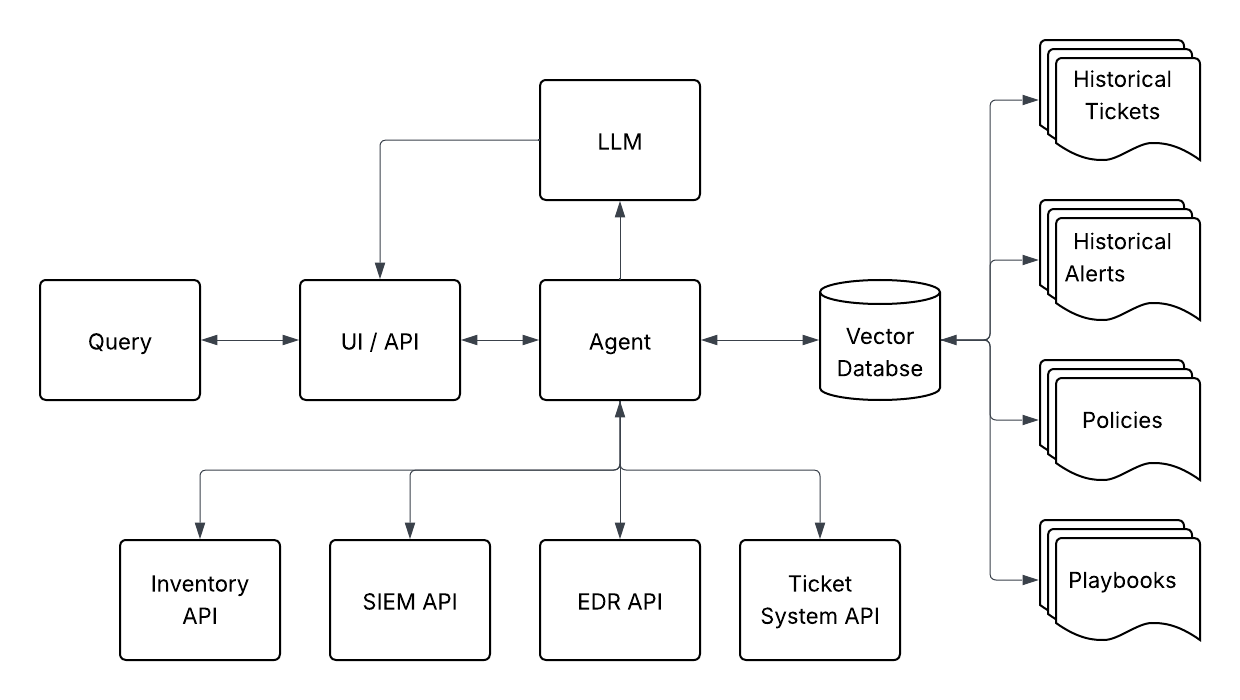
In order to train the model with organization specific data, we will collect the following datasets:
- All security alerts and related comments received by the Operations Team over several years
- All internal and external policy documents
- Internal wiki and repository of security playbooks
- All incident and support ticket content from any ticket number referenced in an alert
Additional Data
Additional data may be retrieved on demand as part of the alert handling process. This may include:
- Network and device inventory data
- SIEM logs
- EDR events
- Incident and support ticket notes
Design Plan
- Collect and archive datasets described above for training our models
- Construct a development environment for testing our design and architecture
- Test several base-LLM options:
- ChatGPT (if organizational tenant allows API access)
- Internal LLM platform (if platform allows API access)
- Self-hosted models (test across several models)
- Select base-LLM platform and build required infrastructure:
- API client for ChatGPT or internal LLM platform
- Hosting infrastructure and Ollama deployment for self-hosted
- Flatten training datasets into formats preferred by transformers
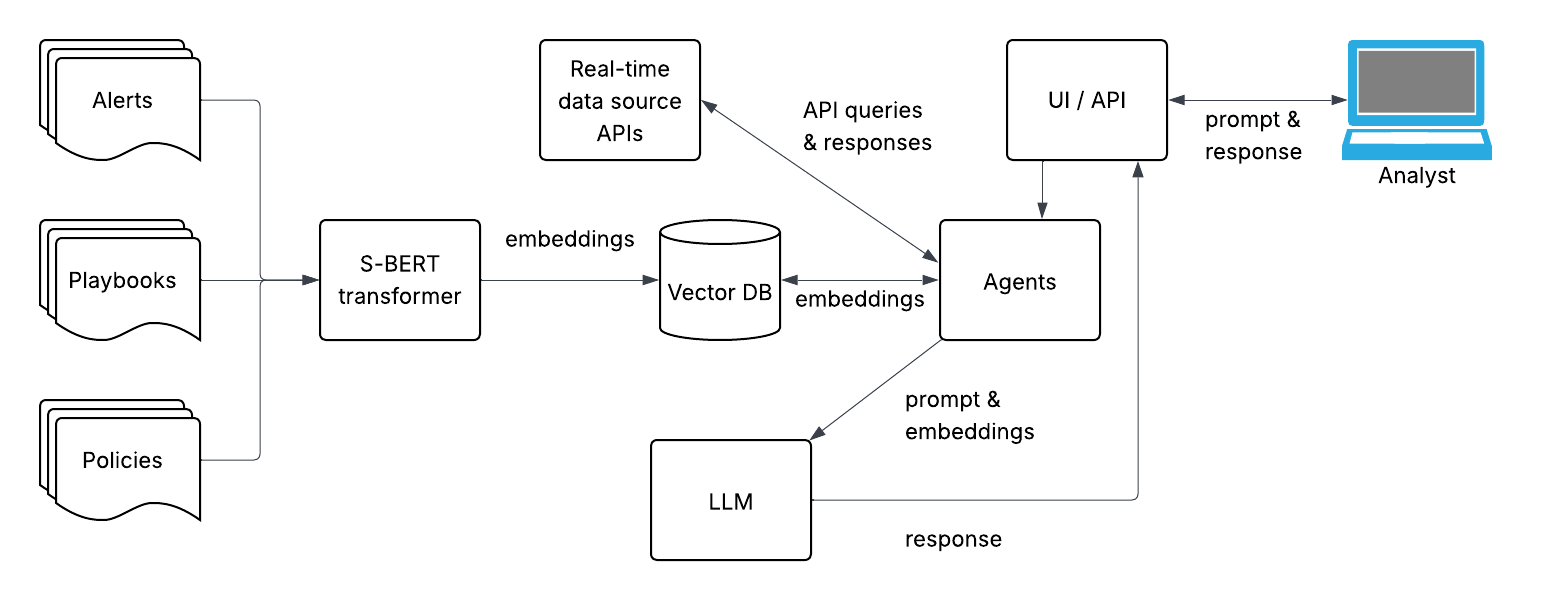
- Generate embeddings from subset of datasets using several sentence-transformers
- Store embeddings in an Milvus database
- Test embeddings against the selected LLM base model
- Select the best performing sentence-transformer and create embeddings for full datasets
- Create accurate prompts for querying the vector database
- Build an agent for querying the vector database and real-time data sources
- Build intermediate API for interacting with vector database and base-LLM
- Build front-end for security operations analysts
- Integrate with existing alert solution
- Test performance with a period of production measurement
Architecture Diagram
General Architecture
Agent Architecture